Your analytics can tell you that eleven people opened your service page and none of them enquired. It cannot tell you that four tried to tap a price that was not a link, or that one spent ninety seconds fighting a phone-number field that rejected the +60 prefix.
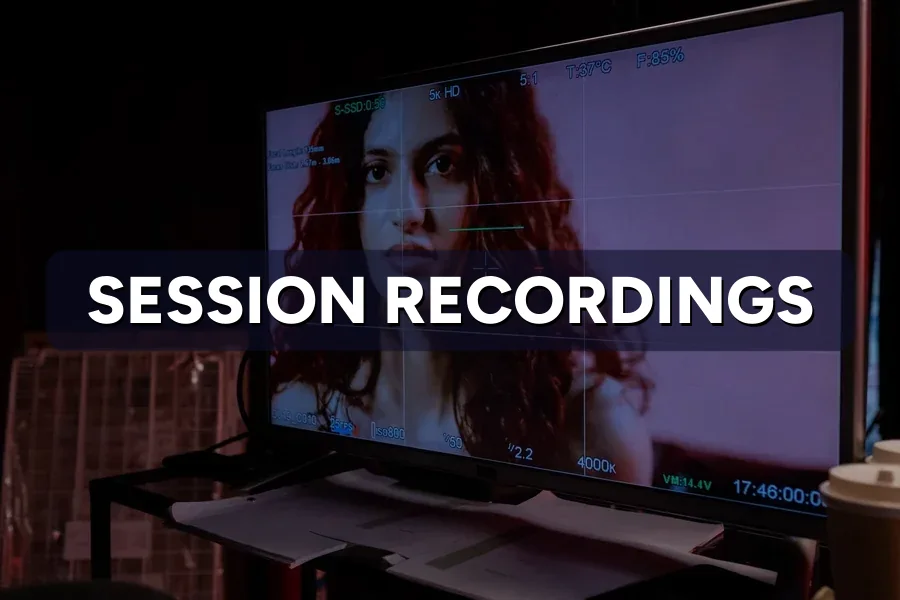
That is the gap session recordings fill. The tool replays a visitor’s session as a video-like playback — cursor paths, taps, scrolls, form entries, the lot — so you watch the abandonment happen instead of inferring it from a bounce rate.
The problem nobody warns you about is quantity. A modest Malaysian SME site produces hundreds of recordings a week, most of them fifteen seconds of nothing — so owners watch four random sessions, learn nothing, and never open the tool again. This piece covers what the recordings genuinely capture, how to filter them so the useful ones surface first, and what they keep finding on the client sites we look after at ZenWeb.
Rather someone else did the watching?
Finding the problem is one job; rebuilding the page around it is another. See how our web design work handles both →
Before the numbers, here is what the playback actually looks like inside a recording tool.
Source video: Microsoft Clarity on YouTube
Quick Answer: Events, not video. Session recordings log the changes to your page — taps, scroll positions, cursor movement, clicks on things that do nothing — then replay them in order. Nothing is filmed and no screen is captured, which is why the files stay small and why masked fields never reach the tool.
Understanding that difference changes how much you trust the playback. Because it is a reconstruction, anything the script could not see is simply absent — a slow-loading image may replay instantly, and a native browser popup may not appear at all.
What it does capture reliably is the sequence of human decisions:
That last one is the whole value. A heatmap analysis shows you the aggregate; the recording shows you the individual giving up. If the vocabulary is new, our plain explainer on what a heatmap is covers the neighbouring tool in two minutes.
Quick Answer: Heatmaps answer “where”, session recordings answer “why”. Open the heatmap when you need to know which part of the page to examine, then open recordings of that page to find out what people were trying to do there. Used the other way round, you will watch for hours and find nothing.
| Your question | Open this | Why |
|---|---|---|
| Is my button too low? | Heatmap | Scroll depth is an average, so it needs volume |
| Why did nobody finish my form? | Recording | You need the field they stopped on, in order |
| Which section gets ignored? | Heatmap | A pattern across thousands, not one person |
| What is this rage-click about? | Recording | Only the replay shows what they expected to happen |
| Is my page confusing on mobile? | Both | Heatmap to locate it, recording to confirm it |
Cost is rarely the deciding factor now: Microsoft Clarity offers both, and Microsoft’s own FAQ confirms it is free with no traffic limits. Our Clarity review and wider heatmap tool comparison cover what each one does with recordings.
Quick Answer: Around five, if they are filtered. Across our client reviews, the first five filtered session recordings surfaced twelve distinct problems on a page; the next thirty-five surfaced six between them. Watching more is not the same as learning more, and the drop-off is steep.
| Recordings watched | New problems found | Count |
|---|---|---|
| 1–5 | 12 | |
| 6–10 | 5 | |
| 11–20 | 3 | |
| 21–40 | 2 | |
| 41–100 | 1 |
Source: ZenWeb client tracking, Malaysian SME sites, 2024–2026. Licence.
The shape of that curve will look familiar to anyone who has run usability testing. Jakob Nielsen’s long-standing finding is that five users uncover roughly 85% of usability problems, because the sixth person mostly repeats what the first five showed you. Watching recordings behaves the same way, for the same reason.
The practical consequence is a schedule, not a marathon. Five recordings a week, on one page, beats a hundred in one sitting — and it fits into the rhythm of a proper conversion audit rather than replacing it.
Quick Answer: Just before the ask, and far more often on a phone. On client service pages, 58% of abandoned mobile sessions ended before the enquiry form was ever reached. The exit point is almost never the form itself — it is the paragraph or the price sitting immediately above it.
| Page type | Where the session ends | Mobile (%) | Desktop (%) |
|---|---|---|---|
| Service page | Before reaching the enquiry form | 58 | 44 |
| Pricing page | Seconds after the price appears | 47 | 39 |
| Homepage | In the menu, still hunting | 42 | 33 |
| Landing page | On the second step of the form | 36 | 29 |
| Contact page | At the phone-number field | 31 | 22 |
Source: ZenWeb client tracking, Malaysian SME sites, 2024–2026. Licence.
The mobile column is worse in every row, and the recordings show why. The same content takes three times the scrolling, so the visitor runs out of patience before the layout runs out of page. That is the mechanism behind poor mobile conversion rates, watched one visitor at a time.
Most abandonment happens above the ask, not at it. By the time someone reaches your form, the hard part is already over.
Read these numbers against real Malaysian conversion rate benchmarks before deciding your page is broken. If the exits cluster on one page, our landing page optimisation guide is the shortest route out.
Quick Answer: Rage clicks first, then dead clicks, then sessions that touched a form without submitting. Filtering by rage clicks surfaced 9.4 findings per hour of watching in our reviews, against 1.2 for the unfiltered newest-first list — nearly eight times the return for the same hour.
| Filter applied | Findings per hour | Rate |
|---|---|---|
| Rage clicks | 9.4 | |
| Dead clicks | 7.1 | |
| Touched a form, never submitted | 6.3 | |
| Quick backs (under 15 seconds) | 2.8 | |
| Longest sessions | 1.9 | |
| No filter (newest first) | 1.2 |
Source: ZenWeb client tracking, review sessions, 2024–2026. Licence.
Two rows are worth arguing with. “Longest sessions” feels like it should be rich, but four minutes on a page is usually confusion, or a phone left face-up on a table. And the unfiltered list is where almost every owner starts, which explains why so many give up after four videos.
The form filter deserves its own habit. Someone who typed their name and then left had already decided to enquire; something in the next field changed their mind. That is the cheapest lead in your pipeline, and it is why replying within five minutes wins the sale — intent decays fast, whether your form or your follow-up stalls it. These recordings also make the case for a WhatsApp button instead of live chat, because you can watch people look for one.
No time to sit and watch every week?
We run the filters, watch the sessions, and report only the findings worth building. See what our conversion optimisation service covers →
Quick Answer: Filter, narrow to one page and one device, watch five, note timestamps rather than theories, confirm the pattern on a heatmap, then change one thing. Six steps, about forty minutes a week. The discipline is in stopping at five, not in watching more.
Each step exists to stop a specific way these reviews go wrong.
That sequence sits inside the wider six-step CRO process we run on client sites, where recordings supply the evidence and the test supplies the proof. Skipping step five is the most common shortcut, and it is how a single unlucky visitor ends up justifying a redesign.
Quick Answer: Yes, and the trend is steady. Mobile now accounts for 79% of recorded sessions on our client sites, median session length has fallen from 74 seconds in 2022 to 49 in 2026, and just over half of all sessions are now too short to be worth opening.
| Measure | 2022 | 2023 | 2024 | 2025 | 2026 | 2027* |
|---|---|---|---|---|---|---|
| Mobile share of sessions (%) | 61 | 66 | 71 | 75 | 79 | 82 |
| Median session length (seconds) | 74 | 68 | 61 | 55 | 49 | 45 |
| Sessions under 15 seconds (%) | 28 | 33 | 38 | 44 | 51 | 56 |
Source: ZenWeb client tracking, Malaysian SME sites, 2022–2026. Licence.
The third row is what changes your workflow. When half your recordings run under fifteen seconds, browsing at random means most of what you watch is somebody arriving and leaving before the page settled.
It also raises the stakes on the first screen, which is why a sticky call button keeps outperforming prettier changes on Malaysian phone traffic.
Quick Answer: Anything a visitor types about themselves. Reputable tools mask input fields by default, but the defaults do not cover everything on a custom page. Check what your tool records, mask the rest by element, and say plainly in your privacy notice that visitor sessions are recorded.
Malaysia’s Personal Data Protection Act 2010 (Act 709) governs how businesses process personal data in commercial transactions, so a recording tool sits squarely inside your obligations rather than outside them. Three practical checks before you switch anything on:
Masking changes only affect new recordings, so set this up before you collect a fortnight of sessions you then have to discard. This is general guidance rather than legal advice.
Quick Answer: When you generalise from one visitor. A single recording is vivid, memorable and statistically meaningless — which is a dangerous combination in a meeting. The person you watched struggle may be the only one who did.
Four traps account for most of the bad decisions we see made from recordings:
There is a resourcing question underneath all this. If your page gets forty visits a week, no amount of watching fixes a traffic problem — that is the trade covered in CRO versus more traffic. And if visitors leave because nothing on the page was worth their email address, the answer is upstream, in a lead magnet worth swapping details for.
Quick Answer: Set up masking, filter by rage clicks, pick one page and one device, watch five recordings, note timestamps, confirm on the heatmap, change one thing. Repeat weekly. Session recordings reward a short regular habit far more than an occasional long one.
Recordings still surprise experienced marketers because they remove the guessing layer. You stop debating what visitors probably think and start watching what they did before they left.
What you do with that is a design job, not an analytics one. Moving the ask higher, making the price tappable, cutting the second form step — these are page changes, which is where our web design service picks up. If you are scoping a rebuild, it is worth knowing what a full web design build should include before anyone quotes you.
Ready to find out why your visitors leave?
Book a free 30-minute session — we’ll set up recordings on your key pages, watch the filtered sessions with you, then give you a 90-day plan with realistic enquiry targets.
Five per page, per device, provided they are filtered. In our client reviews the first five filtered recordings surfaced twelve distinct problems, while the next thirty-five added six between them. If you are watching unfiltered sessions, you will need far more and learn far less.
Not in a properly configured tool. Input fields and drop-down menus are masked by default in tools like Microsoft Clarity, and masked content never reaches the tool at all. Anything your page displays as plain text is a different matter, so mask those elements yourself.
Yes, when configured with care. The Personal Data Protection Act 2010 governs how businesses process personal data, so mask fields containing personal details, avoid recording pages that display customer information, and disclose the tracking in your privacy notice. This is general guidance rather than legal advice.
Slightly. The script adds weight to every page it runs on, so load it asynchronously and compare your page speed before and after installing. If the site is already slow, fix that first — otherwise the recordings will mostly show you people leaving while they wait.
Much less than for heatmaps. A heatmap needs around a thousand sessions per device before the pattern is trustworthy, whereas five useful recordings can come from a single quiet week. Recordings are the better starting point for a low-traffic Malaysian SME site.
Complete the form and our team will contact you to discuss your goals. Let’s grow your business.



Meowketing Specialist
Online