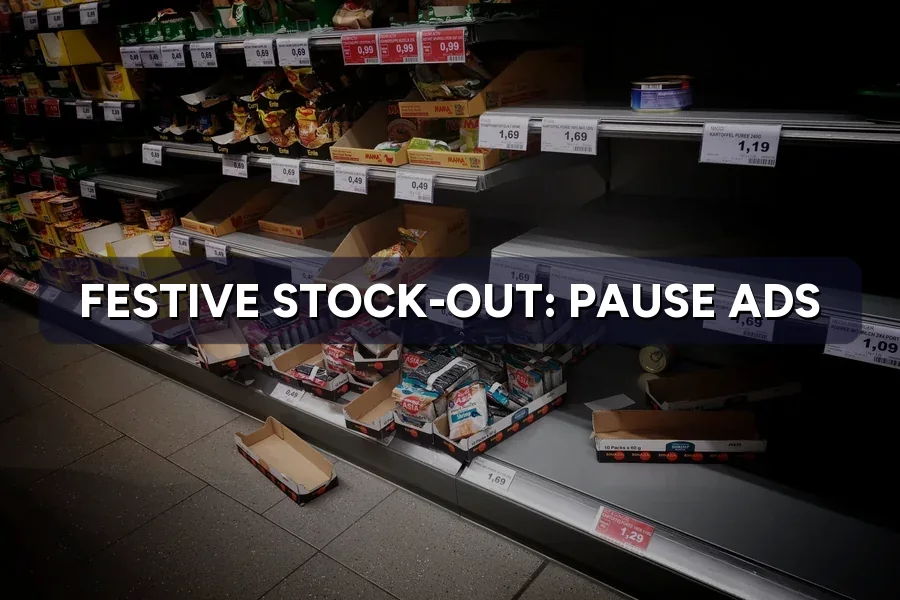
It is the night before 12.12. Your best-selling gift set sold out at 9 pm, but its ads are still running at midnight. Every click lands on a “Sold out” page, and you pay for each one.
This guide shows how to pause ads when a product is out of stock on Google, Meta and TikTok, and when to set it up for the 2026–2027 festive calendar. At ZenWeb, a Google Partner agency with 500+ Malaysian clients, we build stock-linked pausing into every festive e-commerce campaign we manage.
Selling online this 11.11 or 12.12?
We connect your stock levels to your ads so sold-out products stop spending on their own. See how our Google Ads team runs festive Shopping campaigns →
First, this short official Google Ads video shows how Merchant Center can read product details, including stock status, straight from your website.
Source video: Google Ads on YouTube
Quick Answer: In ZenWeb’s client sample, ads that kept running after a product sold out took an estimated 1–14% of festive peak-week spend, depending on the ad type. Search ads and single-product social ads leaked the most, because nothing tells them the stock is gone. Feed-based ads leaked the least.
| Ad type | Spend on sold-out products (est.) |
|---|---|
| Google Search ads pointing to one product page | 14% |
| Meta single-product image or video ads | 11% |
| TikTok single-product video ads | 9% |
| Google Shopping / Performance Max, feed updated once a day | 5% |
| Meta catalog ads, catalog updated once a day | 4% |
| Shopping or catalog ads, stock synced hourly | 1% |
Source: Estimated, based on ZenWeb’s client sample of Malaysian SME e-commerce accounts, peak weeks of 11.11, 12.12, Chinese New Year and Hari Raya, 2024–2026.
The further an ad sits from your stock data, the more it wastes. A Search ad has no idea your gift set sold out. A Shopping ad reads your product feed, so it only wastes money until the next feed update.
Festive sell-outs land on the most expensive days, often late at night when nobody is watching the account. That is why weekly Google Ads checks are not enough in peak season, and one reason small brands weigh up Meta ads during 11.11 carefully.
Quick Answer: Only ads built from a product feed or catalog stop on their own: Google Shopping, Performance Max with a Merchant Center feed, and Meta catalog ads. Everything else keeps running until you or a rule pause it. The speed of the stop depends on how often your feed updates.
| Ad type | Stops by itself? | What triggers the stop | Typical delay (est.) |
|---|---|---|---|
| Google Shopping | Yes | Feed availability set to out_of_stock | 1–24 hours |
| Performance Max (with feed) | Product slots only | Same feed; text and video assets keep running | 1–24 hours |
| Meta catalog ads | Yes | Catalog item marked “out of stock” | 1–24 hours |
| Google Search ads | No | Automated rule, script or manual pause | Up to 2 hours with a rule; open-ended if manual |
| Meta single-product ads | No | Manual pause or a scheduled rule | Open-ended |
| TikTok single-product ads | No | Manual pause or a scheduled rule | Open-ended |
Source: ZenWeb summary of Google Merchant Center, Google Ads and Meta help documentation; delays are estimates from ZenWeb-managed campaigns, Malaysia, 2024–2026.
Google defines out_of_stock in its availability attribute guide as a product you are not taking orders for. Meta’s developer FAQ says products marked “out of stock” automatically stop serving in catalog ads. Both work only if the stock status reaches them quickly.
New to feed-based ads? Start with Google Shopping ads in Malaysia, setting up your Merchant Center feed and Performance Max for festive sales.
Quick Answer: Keep your Merchant Center availability accurate and updated often, switch on automatic updates so Google can correct stock from your website, and use the pause attribute only for short holds. For Search ads, label each ad by product and pause them with a rule or script when stock hits zero.
Our guides to Google Ads automated rules and Google Ads scripts cover general set-up. Here you only need one rule: if the product is gone, the ad goes too. For Raya ranges, add it to your Raya Google Shopping feed prep.
Quick Answer: On Meta, put hero products into catalog ads and filter product sets to “in stock” only, so sold-out items drop out. Keep single-product social ads for items with deep stock. On marketplaces, stock lives inside the platform, so watch your remaining units on promoted listings.
Someone must also be able to log in at 11 pm on 11.11 to pause ads when stock runs out. Give at least two people working access and backup codes, so a 2FA lockout in Ads Manager doesn’t block a pause. Our Meta Ads service sets up catalog filters and access before each season.
Quick Answer: Most festive sell-outs happen in the final three days and on the day itself. In ZenWeb client tracking, about one in ten festive products had sold out a week before the event, rising to around three in ten by event day. Your pausing system must be live before that last week.
| Day | Sale days (11.11, 12.12) | Festivals (CNY, Hari Raya) |
|---|---|---|
| 14 days before | 2% | 4% |
| 7 days before | 6% | 11% |
| 3 days before | 10% | 19% |
| 1 day before | 15% | 26% |
| Event day | 27% | 30% |
| 2 days after | 31% | 32% |
Source: Estimated, from ZenWeb client tracking of Malaysian SME online stores, 2024–2026. Cumulative share of festive-tagged products with zero sellable stock.
Festivals sell out earlier because gifts must arrive on time: CNY hampers and kuih raya often go before the courier cut-off. Sale days sell out late, often just after midnight. Back-up ads for in-stock alternatives must be approved before then, so follow the deadlines in our guide to festive ad review delays.
Quick Answer: Start six weeks before the event: connect stock to feeds, label ads by product, then test a fake sell-out on a cheap item. For 11.11 on 11 November 2026, that window has already started, so prioritise feed sync for your top sellers this week.
| When (before the event) | What to do |
|---|---|
| 6 weeks | Connect store stock to Merchant Center and the Meta catalog; turn on automatic updates |
| 4 weeks | Label Search and social ads by product; build “in stock only” product sets |
| 3 weeks | Submit back-up ads for in-stock alternatives; set up the pause script or rules |
| 2 weeks | Test: set one cheap item to zero stock and time how long each ad takes to stop |
| Peak week | Check stock alerts twice a day, including late night; move budget to in-stock winners |
| After the event | Re-enable restocked items and log which products sold out, and when |
Key 2026–2027 dates to plan around: Black Friday on 27 November 2026, 12.12 on 12 December 2026, Chinese New Year on 6–7 February 2027 and Hari Raya Aidilfitri, expected on 10–11 March 2027 subject to moon sighting. Build pausing into your wider festive creative pipeline, and set reserve budget in your festive ad budget planner for 2027.
Not sure how fast your ads react to a sell-out?
We test your feed, catalog and rules before the peak so nothing spends on empty shelves. Get a festive Google Ads stock-sync check →
Quick Answer: In an illustrative 12.12 week with RM 400 a day on Shopping, a once-a-day feed wastes about RM 190, while hourly sync wastes about RM 30. Manual pausing alone can waste over RM 400. Festive clicks cost more, so every hour of delay costs more too.
| Pausing method | Average hours sold-out items keep spending | Spend lost over 7 days (RM 2,800 total) |
|---|---|---|
| Manual (owner checks each morning) | 14 hours | RM 420 (15%) |
| Feed updated once a day | 12 hours | RM 190 (7%) |
| Hourly stock sync plus automatic updates | 2 hours | RM 30 (1%) |
Source: Illustrative scenario, modelled by ZenWeb using the sell-out curve above and estimated festive click costs. Manual pausing also misses Search ads, which is why its loss is highest.
Indicative festive ranges in ZenWeb-managed Malaysian accounts (estimates, not quotes):
See festive CPC inflation for channel detail and our Google Ads pricing for management costs. Unlike pausing Google Ads in slow months, the money here moves to products you can still sell.
Quick Answer: Keep the product page live with a clear “sold out” note, an in-stock alternative and a back-in-stock or pre-order option. Then use WhatsApp, email and your Google Business Profile to send interested buyers to what you still have. Never fake scarcity to push sales.
Cultural note: festive buying is about timing and meaning. A family that misses a CNY reunion hamper or Raya kuih order needs an alternative that arrives in time, not pushy “last chance” copy. Leftover stock can go into a Boxing Day sale.
Quick Answer: Track four numbers each season: hours from sell-out to ad stop, spend on sold-out products, revenue from alternatives, and Merchant Center availability mismatches. If the first two shrink each season and the last stays near zero, the system works.
| Metric | How to track it | Healthy target |
|---|---|---|
| Sell-out to stop time | Stock log time vs last ad click on that product | Under 2 hours |
| Spend on sold-out products | Product-level ad reports filtered by sold-out items | Under 2% of peak spend |
| Revenue from alternatives | Sales from “sold out” pages and back-in-stock messages | Rising each season |
| Availability mismatches | Merchant Center diagnostics | Zero disapprovals |
Log which products sold out, and on which day; that list becomes next year’s stock and ad plan. Our Google Ads management team reports these numbers alongside sales after every festive season.
Quick Answer: Run through this list at least three weeks before each festival or sale.
Festive sell-outs will happen, but you don’t have to pay for them. Feed-based ads stop by themselves when a product is out of stock, as long as your stock data reaches them quickly. Search and single-product social ads need labels, rules or scripts. Set it up six weeks out, test it with a fake sell-out, and send every buyer who missed out somewhere useful.
Yes, once Merchant Center receives the out_of_stock status for that product. The delay depends on how often your feed updates, so sync stock hourly in festive weeks and switch on automatic updates to catch changes the feed misses.
No. Google says not to use out_of_stock when a product is still for sale. Use the pause attribute for holds of up to 14 days, or the excluded destination attribute for longer breaks.
Only catalog ads do, once the catalog marks the item out of stock. Single-product image and video ads keep running until you pause them, so use them only for products with enough stock for the whole sale.
Google says rules normally run within two hours of being triggered. That suits planned cut-offs, such as a sale ending at midnight, but an hourly script or feed sync reacts better to surprise sell-outs.
Cite this page: ZenWeb (2026). Festive Stock-Outs: Pause Ads Automatically When Sold Out. https://zenweb.my/blog/festive-stock-out-pause-ads/
You may quote our data with this credit and a link. See our Terms of Use.
Stop paying for clicks on sold-out products
Book a free 30-minute consultation. We’ll check your feeds, catalogs and rules before 11.11 and 12.12 so your festive budget only goes to products you can sell.
Get A Free Proposal
Complete the form and our team will contact you to discuss your goals. Let’s grow your business.
Chat with us on WhatsApp
Tell us a little about what you need. We'll open WhatsApp with your message ready to send.