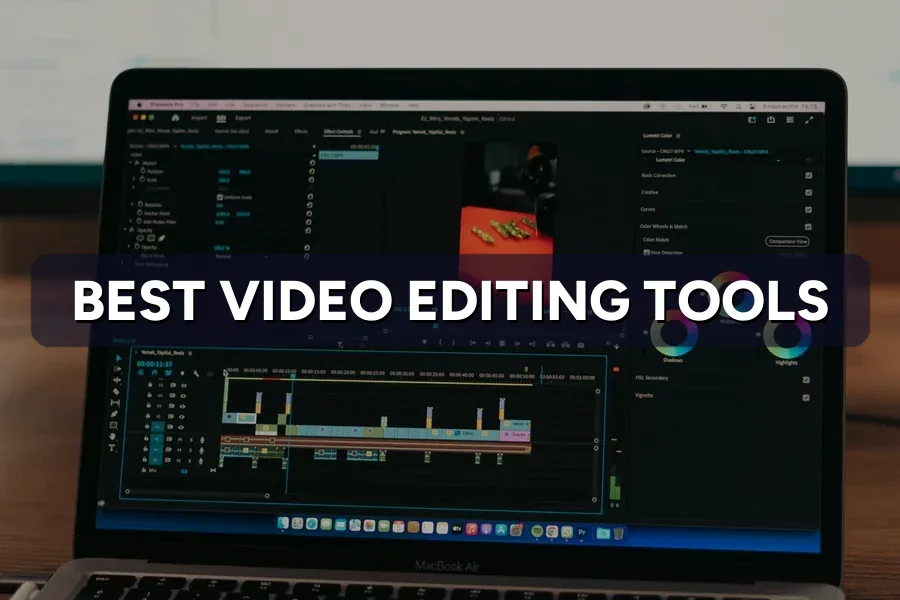
Ask ten marketers which editor to use and you get ten rankings — confident, and none of them about you. Rankings compare features. Your problem is that you promised four Reels this month, you are on clip two at 11pm, and the caption will not sit above the safe zone.
That is the real test for video editing tools for social media: not what an app can do in a review, but how many finished, on-brand clips it gets out of a busy person in a normal week. A tool that does everything in ninety minutes is worse than one that does 80% in twenty.
So this guide sorts the field by the one variable that predicts the right answer — your publishing volume — then prices each tool in ringgit and hours. A quick tour first.
Source video: Best Apps for Social Media Video Editing? (2026) on YouTube.
Quick Answer: Ranked lists compare capability, but capability is never the binding constraint for an SME. Editor hours are. Once you count how many clips you actually publish each month and who edits them, the shortlist of video editing tools for social media collapses from twelve options to two.
Listicles score tools on effects, colour, export options and AI. Those axes separate professional editors. They do not separate a café owner posting twice a week from an e-commerce brand pushing thirty clips a month — and those two need different tools.
What separates them is volume, because volume changes which cost dominates:
The mismatch we see most often at ZenWeb: a business at 4 clips a month buys a full professional suite, then publishes less than before because the tool gets in the way. The reverse is just as common — a brand at 25 clips a month still editing on a phone. No feature comparison catches either.
Quick Answer: Six video editing tools cover almost every social job a Malaysian SME has: CapCut and InShot for phone-first short-form, Canva for brand-templated clips, Descript for talking-head content, Premiere for client-grade work, and DaVinci Resolve for anything demanding that must stay free.
Each owns a job the others handle badly.
| Tool | The job it owns | Where it hurts |
|---|---|---|
| CapCut | Trend-shaped TikTok and Reels edits, auto-captions, templates | Brand consistency — templates chase the trend, not your look |
| InShot / VN | Fast phone edits, no learning curve | Nothing scales — every clip starts from scratch |
| Canva | Brand-locked clips your whole team can edit | Clumsy fine cuts and audio work |
| Descript | Talking-head content — edit the transcript, the video follows | Visual-first work; it thinks in words, not frames |
| Adobe Premiere | Client-grade campaign work, multi-editor projects | Speed — overkill for a 20-second clip |
| DaVinci Resolve | Serious colour, audio and 4K at zero licence cost | Nobody learns it in an afternoon; needs a real computer |
DaVinci Resolve’s free version is genuinely free — not a trial, not watermarked — and exports at up to Ultra HD. CapCut is deep enough to argue about on its own, which we do in our CapCut review for ad creative.
A great clip pointed at the wrong audience is still a wasted afternoon.
The edit is the easy half. The hard half is what you post, where, and to whom. See how ZenWeb plans social content that actually sells →
Quick Answer: Across ZenWeb-managed social content production, a finished 30-second vertical clip takes about 22 minutes in CapCut, 25 in InShot, 31 in Canva, 28 in Descript, 54 in Premiere and 61 in DaVinci Resolve — captions, resize and export included, by an editor comfortable with the tool.
Speed is where the money is. The chart measures the full job — trim, caption, resize, export — not just the cutting.
| Tool | Minutes per finished clip | Median |
|---|---|---|
| CapCut | 22 min | |
| InShot / VN | 25 min | |
| Descript | 28 min | |
| Canva | 31 min | |
| Adobe Premiere | 54 min | |
| DaVinci Resolve | 61 min |
Source: ZenWeb client tracking across Malaysian SME social-video production, 2024–2026. Times cover trim, captions, 9:16 resize and export.
Read the gap, not the ranking. The phone-first tools cluster around 22–31 minutes; the professional suites sit at roughly double. Premiere gives you control you will not use on a 30-second clip, and charges half an hour of your life for it.
Quick Answer: Every free tier gives away editing and withholds something else. CapCut withholds its premium effects and AI credits, Canva withholds brand kits, Descript caps your transcription hours, Premiere has no free desktop tier at all, and DaVinci Resolve withholds almost nothing.
Free tiers are funnels, not gifts. Each vendor holds back something you will eventually need weekly — and they hold back different things, so map the gaps before you commit.
| Tool | Usable free? | The limit that eventually forces an upgrade |
|---|---|---|
| CapCut | Yes, genuinely | Premium effects, fonts and AI credits are paid-only |
| InShot / VN | Yes | Watermarks and ads free; no team features at any price |
| Canva | Yes, for basics | Brand kits, background remover and good stock are Pro-only |
| Descript | Yes, capped | Transcription hours and AI credits run out; paid from about US$16/month |
| Adobe Premiere | Mobile only | The iPhone app is free; the desktop editor is subscription-only |
| DaVinci Resolve | Yes, remarkably | Only advanced effects need the paid Studio version |
Source: ZenWeb aggregation of vendors’ published plans, July 2026 — CapCut, Canva, Descript, Adobe and Blackmagic Design. Pricing varies by region.
CapCut restructured its plans in early 2026, so the tier you remember may not be the tier you get. Canva’s video tools ride on the same subscription as its design tools — our Canva Pro review weighs that upgrade, and the wider free design tool stack covers graphics.
Quick Answer: Cutting is not what costs you time. Captions, aspect-ratio reformatting and hunting for the right clip are. Judge video editing tools for social media on those three jobs and the shortlist changes — the tools that automate them beat the tools with better timelines.
Watch someone edit for an hour: the cutting takes ten minutes. The rest goes into three chores nobody puts in a review:
Pick for these three, not for effects. Mostly someone talking? The transcript editor wins on job three alone. Mostly product and b-roll? Captions and reframing matter more. And if clips keep flopping however clean the edit is, the problem sits upstream — see why Reels stop reaching people and what short-form video actually rewards now.
Quick Answer: Once you price editor time at a realistic RM 40 per hour, the licence fee almost disappears. At 12 clips a month, the labour behind a Premiere clip costs roughly RM 36 versus about RM 15 in CapCut — a difference far larger than any subscription.
The table models the true cost per clip at three volumes: subscription spread across the clips you publish, plus editor time at RM 40 an hour.
| Tool | 4 clips/month | 12 clips/month | 30 clips/month |
|---|---|---|---|
| CapCut (free tier) | RM 15 | RM 15 | RM 15 |
| Canva Pro | RM 32 | RM 24 | RM 22 |
| Descript (paid) | RM 38 | RM 25 | RM 21 |
| Adobe Premiere | RM 71 | RM 47 | RM 40 |
Illustrative scenario modelled by ZenWeb, July 2026: editing times from the chart above (valued at RM 40/hour) plus each vendor’s published subscription, converted to ringgit and divided across the month’s clips. Not a price quote.
The subscription is never the story — at 12 clips a month it is a few ringgit per clip. The professional tools never catch up, because what makes them expensive is time, and time does not go on sale. They earn their place only when a clip’s quality is worth the extra half hour: true for a launch film, false for a Tuesday Reel. Weighing this against hiring out? Our guide to video production pricing in Malaysia has the outsourced numbers.
Posting more clips is not a strategy. Posting the right clips is.
ZenWeb builds the content calendar, the creative and the paid distribution behind it — as a Google Partner agency running campaigns for 500+ Malaysian businesses. See how we turn social video into leads →
Quick Answer: Editing has moved to the phone and stayed there. Across ZenWeb-managed accounts, phone-only editing rose from 38% of SME social clips in 2024 to 61% in 2026, while desktop-only fell to 17% — the rest is a mixed workflow.
That changes what “the best tool” means. A brilliant desktop editor is the wrong answer for a team that shoots, edits and posts from one device between customers.
| Year | Phone only | Mixed workflow | Desktop only |
|---|---|---|---|
| 2024 | 38% | 28% | 34% |
| 2025 | 51% | 25% | 24% |
| 2026 | 61% | 22% | 17% |
Source: ZenWeb client tracking across Malaysian SME social-video production, 2024–2026. Market context: Malaysia counted 30.7 million social media user identities in October 2025, or 85.0% of the population, per DataReportal.
The trend explains a lot of tool behaviour. Adobe put Premiere on the iPhone free; Canva and Descript pushed harder into mobile. Everyone is chasing the phone, because that is where the clips are made. Unless you have a dedicated editor at a desk, pick video editing tools for social media that work properly on a phone and treat desktop as the exception.
Quick Answer: AI inside video editing tools is genuinely good at the boring parts — captions, filler-word removal, reframing, audio cleanup. It is still unreliable at the parts that decide whether a clip works: the hook, the pacing, and whether the thing is worth watching at all.
Split AI features into two piles. Trust the first, supervise the second.
Generated footage is its own fast-moving question — see AI video generators for marketing and AI voiceovers for marketing videos. What no editor tells you, AI or not, is which topics are worth filming — that comes from search and social demand data, as our Semrush review gets into.
Quick Answer: Count your monthly clips, name the person who edits them, pick the tool that matches both, then run one real clip through it end to end. If that clip takes more than 40 minutes, the tool is wrong for you — not the other way round.
Four steps, one afternoon.
The method works because it tests the tool against your week, not against a review — and your week decides whether you are still posting in three months.
The best video editing tools for social media in 2026 are not the most powerful ones. They are the ones that get a finished, watchable clip out of the person who has to make it — this week, on the phone in their pocket.
For most Malaysian SMEs that means CapCut or InShot on the phone, Canva when the brand must stay consistent, Descript when the content is someone talking, and a professional suite only when the clip is worth an extra half hour. Choose on volume and on who edits; the rest is preference.
And when the clips are good but the leads are not, the tool was never the problem — the strategy behind the clips was.
For phone-first short-form, CapCut’s free tier is the strongest — real auto-captions, real templates, no crippling limits. For free desktop work, DaVinci Resolve is unmatched: a full professional editor with Ultra HD export at no licence cost. Most Malaysian SMEs use both.
Usually not, if you publish under eight clips a month — free tiers cover trimming, captions and export. You start paying when one limit costs you time every week: brand kits in Canva, transcription hours in Descript, premium effects in CapCut. Pay for the limit, not the logo.
CapCut is widely used by Malaysian businesses and remains available here. As with any app, review its terms and cloud settings before uploading sensitive footage, and keep master files stored locally rather than only in a vendor’s cloud.
CapCut for trend-led content, InShot or VN for quick, simple edits. Both handle 9:16 export and captions natively. With roughly six in ten Malaysian SME clips now edited entirely on a phone, mobile capability belongs at the top of your checklist.
About 20–30 minutes for a finished 30-second vertical clip, including captions, resize and export. Regularly over 45 minutes? The tool is fighting you — switch, or hand the repetitive parts to the auto-caption and reframe features you already pay for.
Great clips, no leads? Let’s fix the part the editor can’t.
ZenWeb plans, produces and distributes social video that brings in enquiries — strategy, ad creative and paid campaigns, from a Google Partner agency trusted by 500+ Malaysian businesses.
Complete the form and our team will contact you to discuss your goals. Let’s grow your business.



Meowketing Specialist
Online